
If you are a foreign citizen, you may get Freja+ in the following ways:
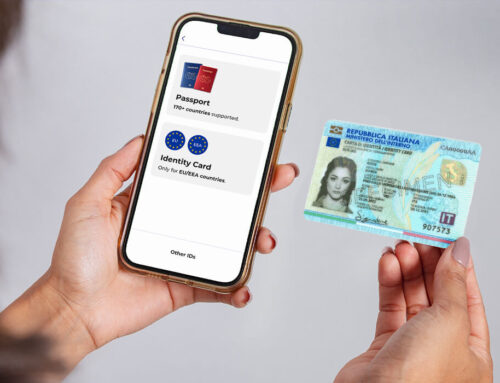
- Coordination No. + Biometric ID (passport or ID card from an EU/EEA country)
- Swedish personnummer + Swedish ID
1. Coordination no. + Biometric ID (EU/EEA Only)
You MUST have a confirmed (styrkt) coordination number with the Swedish Tax Authority to get Freja+ this way. This means visiting the Swedish Tax Authority for an identity check. Learn more here.
Procedure:
We have a video step-by-step guide on how to get Freja+ with your coordination number.
If you prefer to read, here are the steps:
- Create a Freja account with a valid email and set a PIN;
- Add your photo and ID to Freja and wait to be approved;
- Once you are approved go to More > Manage Account > Freja+;
- Enter your coordination no. and make sure that your address is correct;
- IMPORTANT! If your address is not correct you must update it at the Swedish Tax Authority before proceeding.
- Within a few days, you will receive a letter from us containing a security code that you need to enter into Freja to activate Freja+.
Other Useful Information
- It takes 1-3 days for the letter to arrive within Sweden, and up to 10 internationally.
- If you letter does not arrive in a reasonable time period, you may request a new letter.
- Requesting a new letter will render the security code in the old one invalid. You must wait for you new letter to arrive if you requested it.
- Freja does not deal with or issue coordination numbers, for all issues contact the Swedish Tax Authority.
- For more information about the registration process in general, check out our registration guide.
2. Swedish Personnummer + Swedish ID
If you have a Swedish personnummer, you may register with a Swedish ID – we recommend the Swedish Agency Tax ID card as it’s the easiest one for foreigners to get.
This also means deleting your Freja account if you registered with a foreign passport and then registering again with your Swedish ID document and personnummer.
Procedure:
Make sure to delete your old account by going to More > Manage Account > Delete Freja Account.
- Create an account with a valid email and set a PIN;
- Add your photo and whatever Swedish ID you have to Freja and wait to be approved;
- Once approved, visit one of our agents for a quick security check to get Freja+.
Other Useful Information
- The security check only takes a few moments, only your ID and phone are required.
- There is a list of nearest agents available in the Freja app. Tap the Freja+ card and select ‘See Locations’.
- For more information about the registration process in general, check out our registration guide.